

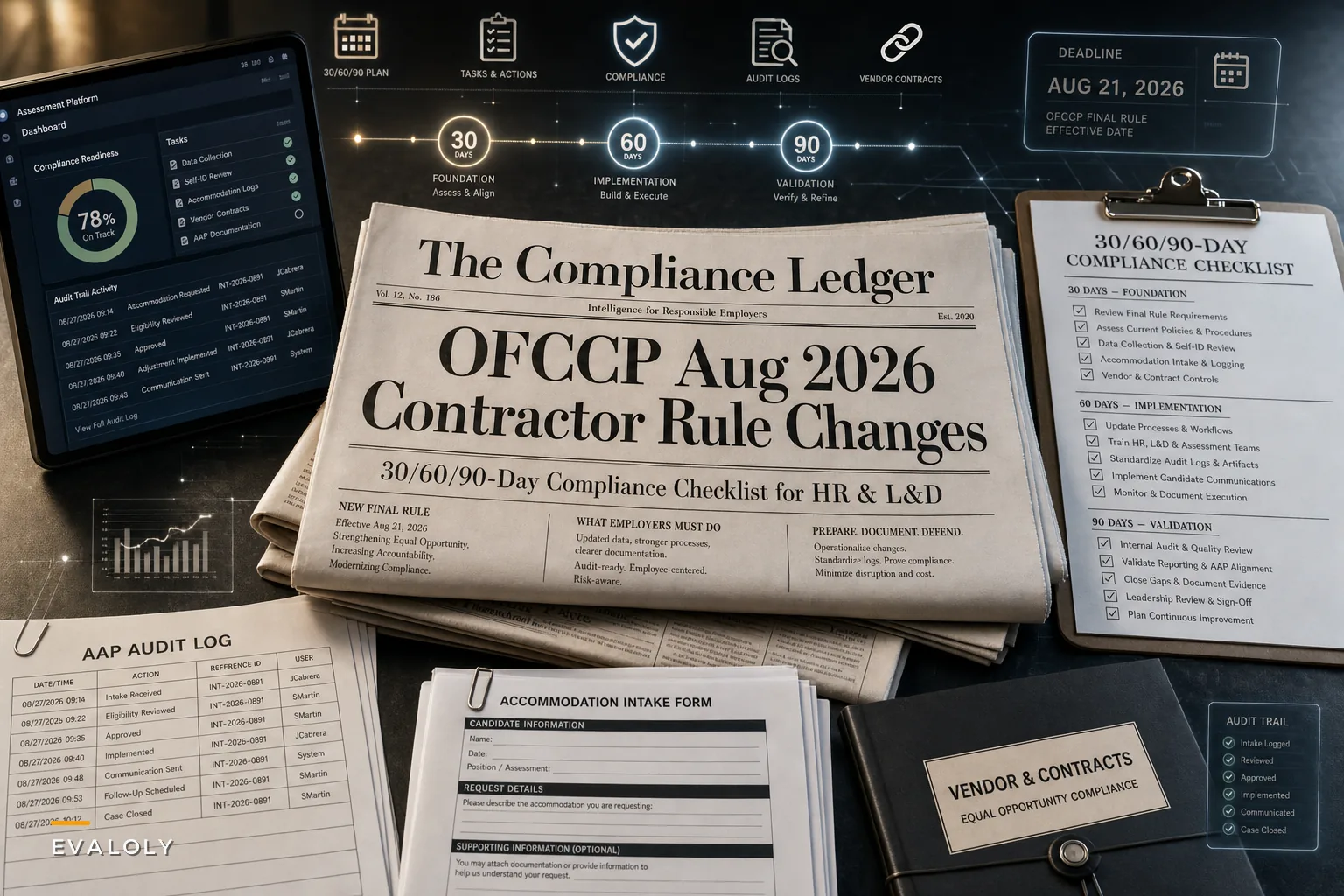

On August 21, 2026, OFCCP dropped three final rules at once, and the practical effect landed squarely on the desks of people who don't usually get consulted when regulations shift: assessment owners, testing coordinators, and the L&D folks who quietly maintain the item banks nobody else understands.
The headline items — a rescission of the Executive Order 11246 implementing regulations, a narrowing of Section 503 disability obligations (including the removal of certain self-ID and utilization-goal requirements), and updated VEVRAA coverage and reporting thresholds — read like a legal problem. The Ogletree summary of the final rules frames the timeline well, with several provisions kicking in during the September–October window. Your compliance counsel is already on it.
But what gets missed in the legal briefings: a large chunk of the data these rules touch doesn't live in your HRIS. It lives inside your assessment platform. Candidate self-identification prompts, accommodation flags, audit trails showing who saw what score and when — those are assessment artifacts. And most testing programs weren't built with an evidentiary standard in mind. They were built to score people quickly.
That's the real exposure. So rather than walking through the statutory language, this is about what actually breaks in an assessment operation when the rules underneath it change, and what you should be auditing before the effective dates arrive.
Start With Where Your Candidate Data Physically Sits
The first mistake teams make is assuming "compliance data" is a single, tidy dataset owned by HR. In practice it's scattered.
A typical mid-size federal contractor running pre-hire assessments has candidate demographic and disability-related information in at least four places: the applicant tracking system, the assessment vendor's platform, an exported spreadsheet someone built for reporting, and a shared inbox where accommodation requests come in as free-text emails. When self-ID requirements change or utilization goals disappear, every one of those locations has to be reconciled — not just the "official" one.
The assessment platform is usually the least-governed of the four. It collects self-ID data at the point of scheduling because someone configured it that way years ago, and nobody ever turned it off or repurposed it. So when a rule narrows what you're supposed to collect, you've got an active intake form quietly gathering data you may no longer need — and every extra field you retain is now a liability rather than a compliance asset.
-
Every field in your assessment platform that captures demographic, disability, or veteran-status information
-
Every export, report, or downstream integration that pulls those fields
-
Every place accommodation-related information is stored as unstructured text (email, tickets, notes)
-
Who has read access to score data tied to protected-class information
-
How long each of those stores retains data, and whether that retention is intentional
You can't rewrite an intake workflow you haven't mapped. And this map becomes the backbone of everything else on the checklist.
The Accommodation Intake Problem Nobody Wants to Own
Section 503's narrowing gets a lot of attention, but the operational risk isn't really in what you stop doing — it's in how sloppily most accommodation intake was running to begin with.
Eliminate assessment bottlenecks.
Evaloly simplifies every step from test design to results analysis, making assessments faster and more reliable.
- Customizable test creation
- Automated grading and analytics
- Secure distribution and proctoring
No credit card required
The pattern is almost always the same. A candidate requests extra time on a timed assessment. The request comes in by email. Someone forwards it to a coordinator. The coordinator manually adjusts the timer in the platform, replies to confirm, and that's it. No standardized record of what was requested, what was granted, who approved it, or what the functional basis was. If someone asks you to demonstrate consistent, non-discriminatory handling of accommodations, that email thread is your evidence. It won't hold up.
The rule changes are a forcing function to fix something that was already broken. Regardless of what the regulations require, an accommodation process that lives in an inbox is a validity risk and a compliance risk. When accommodations are applied inconsistently — one coordinator grants 1.5x time, another grants 2x, a third forgets to adjust the timer entirely — you've introduced measurement noise into scores you're using to make hiring decisions.
-
Structured intake — a single form (not email) capturing the request, the assessment affected, and the type of adjustment needed
-
Consistent decision criteria — a documented rule set so the same request gets the same answer regardless of who handles it
-
Logged approval — who decided, when, and on what basis
-
Applied and verified — the platform change is made and confirmed against the approved request
-
Retained per your retention schedule — not forever, not deleted early, but per an intentional lifecycle
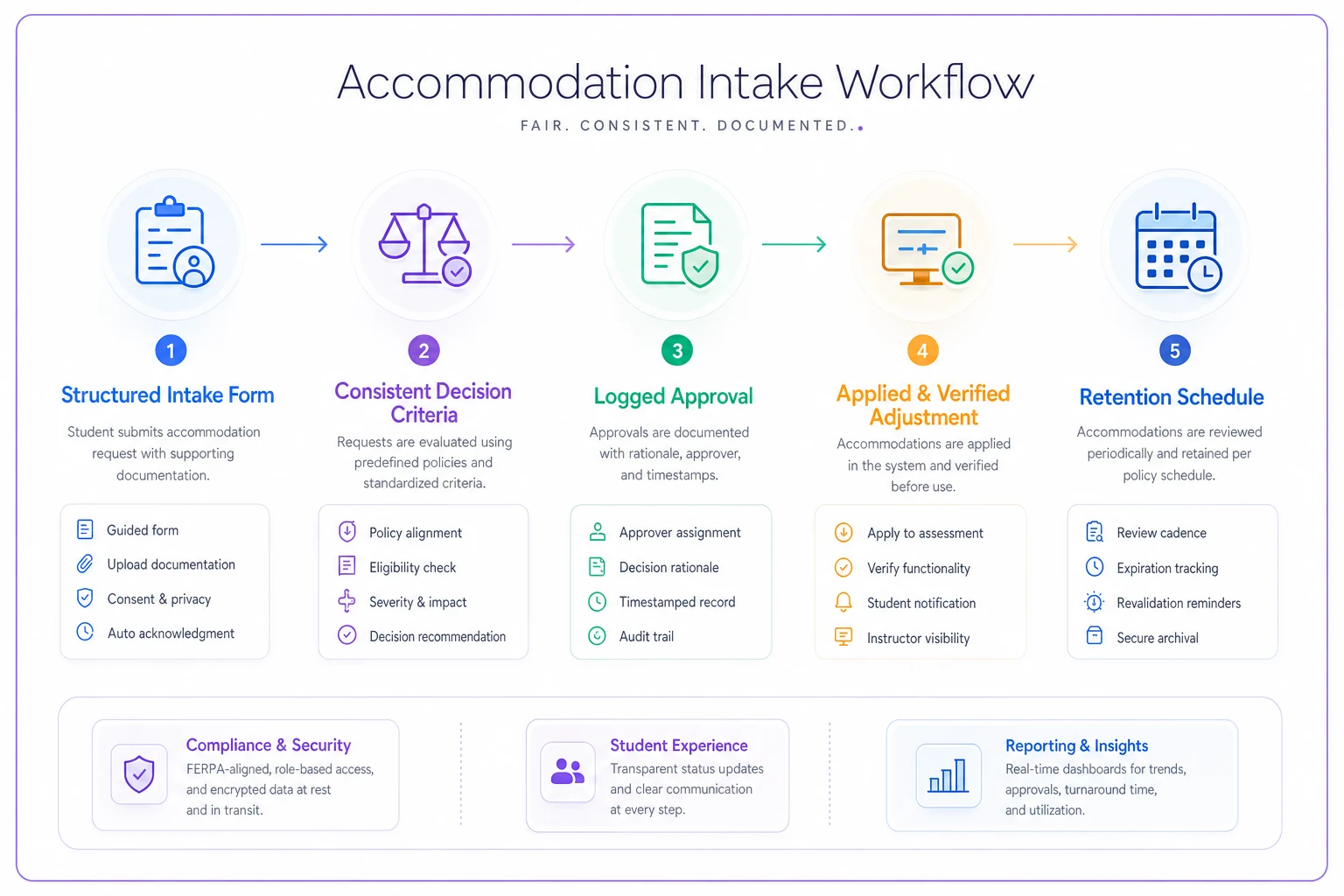
Here's a quick visual of that accommodation workflow.
If your current process can't produce a clean record for any accommodation granted in the last 12 months, that's your first project — before, during, and after the rule changes take effect.
Audit Trails: The Evidentiary Standard You Probably Don't Meet
The quiet theme running through the Crowell client alert on the overhaul is that contractors are moving into a period where recordkeeping expectations and enforcement posture are shifting, and the burden of proof around fair, consistent treatment doesn't disappear just because affirmative-action mechanics changed. You still have to show your assessment process didn't discriminate. And "show" means logs, not assertions.
Most assessment platforms produce some audit trail. Very few produce one that answers the questions an investigator or internal auditor actually asks:
| Question an auditor asks | What weak systems produce | What you actually need |
|---|---|---|
| Who accessed this candidate's scores? | "Admins can see everything" | A per-record access log with names and timestamps |
| Was this accommodation applied consistently? | Scattered email confirmations | A structured record tied to the assessment event |
| Did the assessment content change between cohorts? | "We think it's the same version" | Versioned forms with change history |
| When was demographic data collected and why? | Unknown | Field-level provenance and purpose |
| How long is this data retained? | "Until someone deletes it" | An enforced retention rule per data type |
The gap in that middle column is where compliance projects go to die. Teams assume the platform is handling this and discover, usually mid-audit, that it isn't.
This is exactly the territory covered in our operational privacy and lifecycle playbook for assessment data governance — field-level provenance, retention rules, and access logging that turn a scoring tool into a defensible system of record. The rule changes just made that playbook urgent instead of aspirational. Most of the audit-trail gaps in the table above are governance gaps, not software gaps, and that distinction matters when you're trying to figure out where to start.
A Real Scenario: The Contractor With a Clean Test and Messy Records
Consider a professional-services firm — roughly 400 employees, holds federal contracts, runs a structured skills assessment for around 600–700 candidates a year across technical roles.
Their assessment itself was solid. Validated, defensible, well-written items. The problem surfaced when they started prepping for the new recordkeeping expectations. They couldn't answer basic questions. Accommodation records for the past year existed as roughly 40 email threads spread across three coordinators' inboxes. Self-ID data was being collected at scheduling and re-collected in the ATS, so they had two versions that didn't always match. Their platform's "audit log" was a flat export that showed logins but not which records were viewed.
It took about six weeks of unglamorous cleanup: consolidating accommodation records into a structured log, shutting off the redundant self-ID collection in the assessment tool, and reconfiguring access so score data tied to protected-class fields was permissioned rather than open to every admin. Nobody saved some dramatic dollar amount. But they went from "we'd fail an audit on process, not substance" to being able to produce a clean record set on request. That's the whole win. The exposure was never the test. It was everything around it.
Re-Prioritizing Compliance Work When You Don't Have the Hours
The tight effective dates collide with a reality most of these teams live in: nobody got extra headcount for this. So the question isn't "what should we fix" — it's "what do we fix first with the two people we have."
-
Do first (high risk, low effort) Turn off data collection you no longer need. This is often a config change in the assessment platform and immediately shrinks your liability surface.
-
Do next (high risk, higher effort) Consolidate accommodation records into a structured, retrievable format. Painful but essential.
-
Schedule (medium risk) Tighten access permissions on score data and stand up proper per-record audit logging.
-
Backlog (lower risk) Cosmetic reporting cleanups and template rewrites that feel productive but don't change your exposure.
The mistake is inverting this list. Teams love rewriting policy documents because it feels like progress and it's comfortable work. Meanwhile the live intake form is still collecting data it shouldn't, which is the thing that actually hurts you.
Is data being collected that you no longer need? → Yes: Disable the field first, before anything else. → No: Move to accommodation records. Are accommodation records retrievable and structured? → No: Fix this before touching permissions or logging. → Yes: Move to access controls and audit logging. Are per-record access logs in place? → No: Vendor conversation needed. → Yes: Review retention schedules and vendor contract terms.
It's not a perfect flowchart, but it keeps you from spending three weeks on template rewrites while the live intake form is still doing damage.
When to bring in your vendor — and when not to
Some of this you fix internally. Some requires the assessment vendor. Worth knowing the difference before you burn a support ticket.
Bring in the vendor when:
-
You need field-level audit logging the platform doesn't expose by default
-
Retention rules need to be enforced automatically rather than manually
-
Self-ID or accommodation fields are hardcoded into their standard intake flow
Handle internally when:
-
It's a permissions or configuration change you have admin rights to
-
It's a process problem (who does what, in what order) rather than a system limitation
-
It's consolidating records that already exist into a better format
Update the vendor contract language too, while you're in there. If the platform stores compliance-relevant data, your data processing terms and retention commitments should reflect the current rules — not the ones in effect when you signed three years ago.
The Checklist to Work Through Before the Effective Dates
Pull this into whatever tracker you use and assign owners:
-
Full map of every assessment-platform field capturing demographic, disability, or veteran-status data
-
Confirm which of those fields you still have a legitimate reason to collect — disable the rest
-
Reconcile self-ID data collected in the assessment tool against the ATS to eliminate conflicting records
-
Move accommodation intake out of email into a structured form with documented decision criteria
-
Produce a retrievable accommodation record for every accommodation granted in the past 12 months
-
Restrict read access to score data tied to protected-class fields; log who has it
-
Verify your platform produces per-record access logs, not just login logs
-
Set and enforce a retention schedule per data type — no "keep everything forever" defaults
-
Confirm assessment forms are versioned with change history for cohort comparisons
-
Review and update vendor contract terms covering compliance-relevant data storage and retention
-
Document the whole thing so a future auditor sees an intentional system, not accidents
You won't finish all of it before the first effective dates. That's fine. The point is to knock out the high-risk, low-effort items early and have a documented plan for the rest — because a documented plan-in-progress reads very differently than a shrug during an audit.
The Underlying Problem the Rules Exposed
Strip away the specifics and the real issue is this: most assessment programs were designed to measure people, not to defend how they were measured.
That was survivable when the compliance framework was stable and the burden of proof felt distant. It's less survivable when the ground shifts on a short timeline and you're suddenly asked to produce records the system was never configured to keep. The contractors handling this well aren't the ones with the fanciest tests. They're the ones who treated their assessment data like a governed system of record all along — provenance, access control, retention, versioning — so a regulatory change becomes a config review instead of a fire drill.
You can read the actual rescission rule in the Federal Register if you want the source text, and your counsel will interpret the legal obligations. But the operational work is yours, and it's the same work whether the rules tighten or loosen next: know where your data lives, collect only what you need, apply accommodations consistently, and be able to prove all of it. Build that once, and the next rule change is a Tuesday afternoon instead of a scramble.
You can read the actual rescission rule in the Federal Register if you want the source text, and your counsel will interpret the legal obligations. But the operational work is yours, and it's the same work whether the rules tighten or loosen next: know where your data lives, collect only what you need, apply accommodations consistently, and be able to prove all of it. Build that once, and the next rule change is a Tuesday afternoon instead of a scramble.
Ready to revolutionize your evaluation process?
Join over 2,000 organizations using Evaloly to optimize assessments, improve learner outcomes, and make data-driven decisions.